
MacBook Not Charging
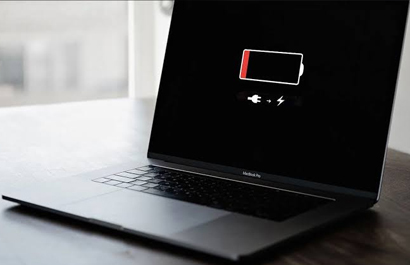
MacBook Not Charging? Here's Why — and How We Fix It Fast in Wollongong
You plug in your MacBook, walk
away, and come back to find the battery hasn't moved a single per cent. No
orange light. No green light. Nothing. It's one of the most stressful things a
MacBook owner in Wollongong can face — especially if you rely on it for work,
study, or running your business.
Before you rush to Apple's nearest
store, or worse, assume your MacBook needs to be replaced, stop. The vast
majority of MacBook charging problems are completely fixable — and PCC
Computers' experienced technicians diagnose and repair them every single day
across Wollongong and Shellharbour.
This page walks you through the most common causes of a MacBook not charging, what to look for, and exactly how our team gets you powered up and back to what matters.
Our MacBook Charging Repair Process
1.
Bring It In or Book
Online — Visit our Wollongong (132 Keira
St) or Shellharbour (Stockland Shellharbour City
Centre) store. No appointment needed.
2.
Diagnosis — Our technicians run a full charging-system diagnostic:
cable, port, battery health, SMC, and logic board.
3.
Transparent Quote — We explain exactly what the problem is and what the fix
will cost. You decide whether to proceed. No pressure, no jargon.
4.
Repair & Test — We carry out the approved repair in-store. Most
charging faults are resolved the same day. All work is tested thoroughly before
handover.
Quick Checks Before You Come In (Try These First)
Before bringing your MacBook to us, try these safe steps. They take five minutes and occasionally reveal a simple fix that doesn't require a repair at all:
1. Reset the SMC (System Management Controller)
On Intel MacBooks: Shut down, hold Shift + Control + Option + Power for 10 seconds, release , power on
normally. On Apple Silicon (M1/M2/M3): Simply shut down, wait 30 seconds, and
restart, the SMC resets automatically.
2. Check the Charging Cable and Adapter
Try a different cable and charger
if you have one available. MagSafe cables especially are prone to fraying near
the connector. Even a hair-thin break in the wire can stop charging entirely.
3. Inspect and Clean the USB-C / MagSafe Port
Using a torch, look inside the
charging port for pocket lint, dust, or debris. A wooden toothpick (never
metal) can carefully dislodge lint. Compressed air from 20cm away also helps.
Do not poke with anything conductive.
4. Check macOS Battery Health
Hold Option + click the battery
icon in the menu bar. If it says 'Replace Soon', 'Replace Now', or 'Service
Battery', the battery itself needs professional attention.
5. Test With a Different Power Outlet
Occasionally the issue is as simple as a tripped circuit or a faulty wall socket. Test on a known-working outlet in a different room.
Your MacBook Should Be Charging.
Let PCC Computers make that happen — fast, affordably, and with complete transparency.
Walk in today to any of our three Illawarra stores — no appointment needed.
Wollongong (132 Keira St) · Stockland Shellharbour
Book MacBook Charging Diagnosis — We Fix It. You Love It.