
Laptop Repair in Wollongong: Common Problems We Solve
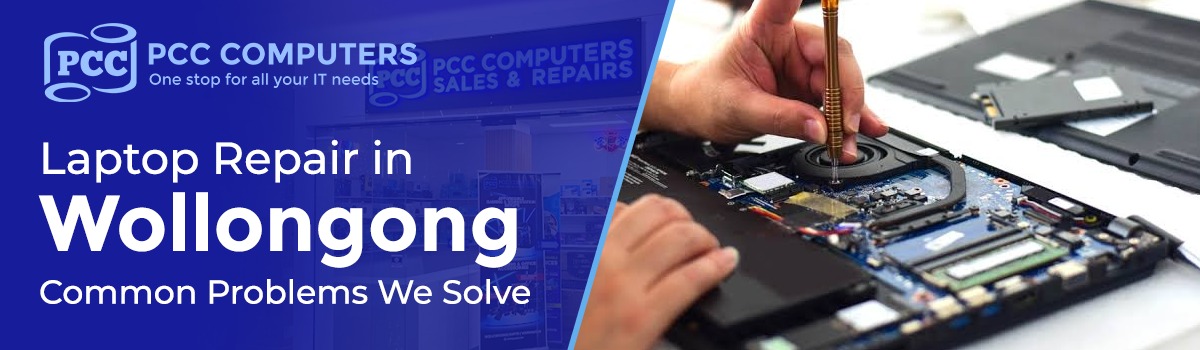
A laptop rarely fails all at once. It slows down, the battery starts draining faster, the screen flickers, or it simply refuses to turn on one morning. Whatever the symptom, it usually points to one of a handful of underlying issues — and most of them are fixable without replacing the whole machine.
At PCC Computers, our Wollongong and Shellharbour workshops repair laptops of every make and model, week in and week out. Below are the problems we see most often, what usually causes them, and how we fix them. If you'd rather skip straight to booking a repair, our full Laptop Repair Wollongong service page covers pricing, turnaround times and what to expect when you bring your laptop in.
1. Cracked or Broken Laptop Screens
A
knock, a fall, or too much pressure from a bag can crack the display or leave
it showing black bars, discolouration, or nothing at all. In most cases the
panel itself is damaged while the rest of the laptop is completely fine, which
makes a screen replacement one of the most cost-effective repairs we do.
We
stock screens for the most common laptop brands in-store, so many screen
replacements are completed same-day rather than sent away for weeks.
2. Laptop Won't Turn On or Boot Up
A
dead laptop can mean several different things: a failed power supply or
charging port, a faulty motherboard, a drained or failing battery, or a
corrupted operating system. The fix depends entirely on diagnosis — which is
why guessing (or buying a random replacement charger) rarely solves it.
Our
technicians run a full diagnostic to isolate the cause before recommending a
repair, so you're not paying to replace parts that were never the problem.
3. Slow Performance and Constant Freezing
This
is one of the most common complaints we hear, and it's rarely the laptop
"just getting old." Usually it's a mechanical hard drive nearing the
end of its life, a full storage drive, too many background programs, or
malware. In many cases, upgrading from a spinning hard drive to an SSD delivers
the single biggest speed improvement we can offer — often making a 5-year-old
laptop feel new again.
4. Battery Not Holding Charge
Laptop
batteries degrade with age and charge cycles, and a battery that lasts 20
minutes instead of several hours is a clear sign it needs replacing rather than
repairing. We test the battery's actual health (not just whether it charges)
and replace it with a compatible, quality cell so the laptop holds charge the
way it should.
5. Liquid Damage and Spills
Coffee,
water, or a spilled drink getting into a laptop is one of the most urgent
repairs we handle, because corrosion can spread the longer a device sits
switched on or charging after a spill. If this happens, power the laptop off
immediately, don't try to charge it, and bring it in as soon as possible —
early intervention makes a real difference to what can be saved.
Our
technicians strip the unit down, clean affected components, and assess
board-level damage before quoting a repair, rather than assuming a spill means
a write-off.
6. Keyboard and Trackpad Problems
Sticky
or unresponsive keys, keys that have popped off, or a trackpad that jumps or
stops responding are usually caused by dust and debris, a spill, or physical
wear. Depending on the laptop, we can often replace just the keyboard assembly
or trackpad rather than the whole top case, keeping the repair affordable.
7. Overheating and Loud Fan Noise
A
laptop that runs hot, shuts down unexpectedly under load, or has a fan that
sounds like it's working overtime usually has a build-up of dust choking the
cooling system, or thermal paste that's dried out and lost its effectiveness. A
proper clean-out and thermal paste replacement is a simple, low-cost repair
that prevents more serious heat-related damage down the track.
8. Data Recovery After Hardware Failure
When a laptop won't boot, the biggest concern for most people isn't the hardware — it's the photos, documents and files stored on it. Before attempting any repair on a laptop with failed storage, we prioritise recovering accessible data wherever possible, so a hardware fault doesn't also mean losing everything on the drive.
Why Choose PCC Computers for Laptop Repair
in Wollongong
- Local walk-in stores in
Wollongong and Shellharbour — no mailing your laptop away and waiting weeks
- Diagnostics, so you
know exactly what's wrong before you commit to a repair
- Genuine, in-stock parts for
the most common laptop brands, meaning faster turnaround
- Experienced technicians who
repair laptops, Macs and PCs every day, not as a side service
- Straightforward, upfront
pricing with no surprise fees
Frequently Asked Questions
How much does laptop repair cost in
Wollongong?
It
depends on the issue — a keyboard clean is far cheaper than a motherboard
repair. Because we offer diagnostics, you'll get an accurate quote before
any work begins rather than a rough estimate.
How long does a laptop repair take?
Many
common repairs, like screen or battery replacements, are completed same-day
when parts are in stock. More complex board-level repairs or data recovery jobs
can take longer, and we'll always give you a realistic timeframe upfront.
Is my laptop too old to repair?
Usually
not. Even older laptops are often worth repairing, especially with an SSD
upgrade — it's typically far cheaper than replacing the whole machine, and
gives it several more years of solid use.
What should I do if I've spilled liquid
on my laptop?
Turn
it off immediately, don't plug it in or try to charge it, and bring it in as
soon as you can. The faster a liquid-damaged laptop is looked at, the more
likely it is that corrosion and permanent damage can be avoided.
Bring
your laptop into our Wollongong or Shellharbour store for a diagnostic, or
visit our Laptop Repair Wollongong page for full details on our repair service, pricing
and turnaround times.